
Simple Guide to Create an Office Space You'll Love


If your living room, bedroom corner, or hallway niche has become your home office, the goal isn’t perfection—it’s a desk setup that feels comfortable, organized, and inspiring so you can do your best work.
This friendly guide gives you practical changes you can make in an afternoon, many of them budget-friendly and ideal for a small space.
Start With a Clear Plan
Before buying anything, decide what the space must help you do most: writing, video calls, dual-monitor work, or crafts/paperwork. Name your top two tasks, then plan around them.
Sketch a quick layout and list the must-haves. This tiny plan prevents impulse buys and ensures your home office actually supports your day.
Choose a Simple Vibe
Pick one guiding word—calm, energizing, or creative—and let it shape colors and textures. Neutrals with soft textures promote focus, while one bold accent (a print, pillow, or mousepad) adds energy without clutter.
 The Essentials: Desk, Chair, Lighting
A great workspace nails these three elements.
The Right Desk (Even in a Small Space)
Your desk should be right-sized for your tasks.
Laptop and notes only? A compact surface (90–120 cm wide) is plenty.
Dual monitors or paperwork? Go wider or add a keyboard tray to free surface area.
No spare room? Consider a floating desk or fold-down wall desk to save floor space and give your room breathing room.
A Supportive Chair (Style + Comfort)
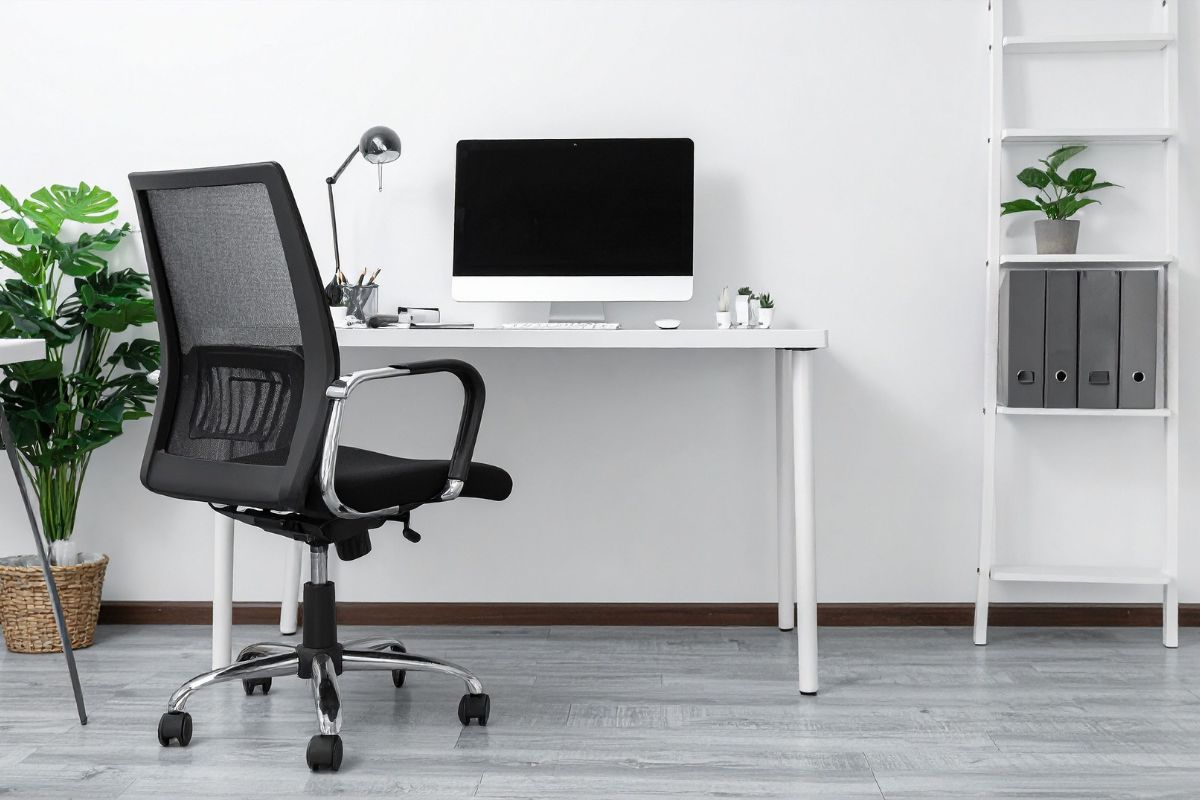
Look for adjustable height, a supportive back, and a seat depth that lets your feet rest flat. If a big task chair overwhelms the room, a slim swivel chair offers comfort and movement without visual bulk.
Layered Lighting for Comfort and Focus
Combine natural light with a task lamp and a warm ambient light. Place your desk perpendicular to windows to reduce glare. A lamp with an adjustable arm helps you position light exactly where you need it and reduces eye strain during late sessions.
 Ergonomic Checklist You Can Apply in Minutes
Good ergonomics helps you feel better and work longer—without aches. Use this ergonomic checklist:
Screen height: Top of the screen near eye level. Use a stand or books if needed.
Elbows: About 90° with shoulders relaxed.
Wrists: Keep mouse and keyboard on the same plane; avoid bending your wrists upward.
Feet: Flat on the floor; add a footrest or stacked books if needed.
Micro-breaks: Every 30–60 minutes, stand, stretch, and rest your eyes for 20 seconds.
Small-Space Layouts That Work
You do not need a spare room to build a workspace you love.
The Cloffice
Convert a closet into a cloffice with a shallow desktop, vertical shelves, and a puck light you switch on to “clock in.” Close the doors to hide visual noise when you finish.
 The Window Sidecar
Place your desk perpendicular to a window to maximize daylight while avoiding direct glare on your screen. Add a task lamp for balanced evening light.
The Nook Office
Turn an alcove into a focused area with a floating desk and two floating shelves. This keeps storage up high and your floor clear—perfect for a small space.
Create Visual Boundaries in Shared Rooms
If your office shares space with a living room or bedroom, add soft zoning. A low bookcase, folding screen, or area rug frames your “work island” and helps your brain switch into and out of work mode.
The simple ritual of sliding your chair under the desk at day’s end becomes your clock-out signal.
Declutter the View (and Your Mind)
Clutter steals focus. Give every category a home:
Daily tools: Notebook, pens, and charger in a drawer or desktop caddy.
Paper: One in-tray and one out-tray; if it doesn’t fit, file or recycle.
Personal items: A small tray for keys, lip balm, and earbuds keeps surfaces tidy.
 Smart Cable Management for a Clean Look
A neat cable management routine transforms your setup fast:
Mount a power strip under the desk.
Use adhesive clips to guide cables along legs or the underside.
Add a cable box to hide power bricks.
Result: clean lines, fewer snags, and a calmer visual field.
Add Personality Without Visual Noise
You will spend many hours here—make it yours. A small plant, a favorite print, or a pinboard with two or three items you genuinely love adds warmth.
Use closed storage (bins, boxes) for the not-so-pretty gear and one open shelf for pieces that inspire you. The balance feels curated, not crowded.
 Sound and Privacy: The Overlooked Duo
If calls are frequent, noise matters. Add soft furnishings like a rug and curtains to absorb sound. Consider noise-reducing headphones or a desktop privacy panel if you share the room.
Establish quiet hours with roommates or family and use a simple “on a call” sign.
Budget-Friendly Upgrades That Punch Above Their Price
Paint one wall: quick mood shift, minimal cost.
Swap a bulb: a high-CRI LED shows true colors and reduces eye strain.
Raise the monitor: a stack of books works great.
Rolling drawer unit: storage when you need it, tucked away when you don’t.
Peg rail or wall hooks: vertical storage for headphones, bags, or cables.
Keep It Lovely With Easy Habits
Two-minute reset daily: Put tools away, clear cups, wipe the surface.
Weekly 10-minute tidy: Recycle paper, empty the trash, water the plant.
Monthly mini-refresh: Rotate a print, swap a pillow cover, or update your pinboard to spark motivation.
 Sharing the Space Without the Stress
If two people use the same zone, assign a labeled bin or drawer to each and set time blocks for focus vs. collaboration. Keep a grab-and-go kit (laptop stand, keyboard, mouse) so switching stations takes seconds.
Quick Wins to Try This Week
Mount or hide your power strip and add three adhesive cable clips.
Angle your desk to avoid window glare and add a task lamp.
Raise your screen to eye level and check elbows at 90°.
Choose one small decor item that makes you smile, and store the rest.
Watch: Quick Desk Setup Wins (What to Look For)
If you embed a video, introduce it with the outcomes it teaches:
Posture basics you can set up in under five minutes.
Cable management tricks that instantly clean visual clutter.
Lighting layers that reduce eye strain and make evening work gentler.
A fast two-minute reset to end each day.
 Internal Links That Help Readers Go Deeper
Within your article body, add natural links to related posts such as organizing tips, lighting ideas, or feng shui for work corners.
Linking from phrases like home office makeover, small space storage, or declutter routine helps readers discover more while supporting on-page SEO.
From Corner to Confidence: Make It Yours
You do not need a spare room or a designer budget to build an office space you love—just a clear plan, a few smart pieces, and simple habits that stick.
Start with one easy win today (lighting, cable management, or raising your screen), and watch how a better desk setup lifts your focus, energy, and productivity day after day.
We hope you enjoy watching this video about Setting Up Your Workspace

Source: Thomas Frank
Did you find this post useful or inspiring? Save THIS PIN to your HOME Board on Pinterest! 

Once again, thank you for visiting our website!
We hope you've enjoyed exploring the content we've created for you.
Give yourself the chance to learn, get inspired, and have even more fun, keep browsing...
More Home Tips 👇🏼👇🏼